

Metalworking · Machine and plant maintenance
Every machine with its maintenance plan, every fault followed through
Presses, press brakes, lasers, compressors, forklifts: in a metalworking company every machine has its own checks and deadlines. CLM’s management system schedules maintenance, alerts the right people before and after each job and turns fault reports into planned interventions.
- Client
- CLM, Cooperativa Lavoratori Metalmeccanici
- Sector
- Metalworking
- Year
- 2023
- Users
- Supervisors, department heads, operators, maintenance staff
At a glance
- maintenance types: internal or external, routine or extraordinary
- 4
- maintenance types: internal or external, routine or extraordinary
- states for every fault report
- 4
- states for every fault report
- priority levels, up to machine stop
- 3
- priority levels, up to machine stop
- machine categories, each with its own code and numbering
- 25
- machine categories, each with its own code and numbering
The challenge
Many machines, many deadlines, no overall view
Dozens of machine categories spread across departments, each with different periodic checks, some carried out by in-house staff and others by external suppliers. Keeping track of deadlines, reminding the people involved and following every fault through to repair is hard without a shared tool, and one missed check can stop production.
The solution
One machine register, one calendar for everyone
Every machine has its own record and code. Maintenance jobs are created from templates with predefined checks and requirements, repeat on their own and appear in the calendar and dashboard of whoever has to carry them out. Faults are reported in one click and reach department heads and supervisors at once.
How it works
From machine record to completed job
01Machine record
Category, serial number, manufacturer, cost centre, responsible operator and documents; the machine code is assigned automatically.
02Maintenance template
Type, frequency, checks to perform and requirements, defined once for each kind of job.
03Scheduling
Several machines and one template in a single step, repeating every N days, months or years.
04Notifications
Alerts before and after the date to supervisor, department head, operator or maintenance staff, on the chosen days.
05Execution
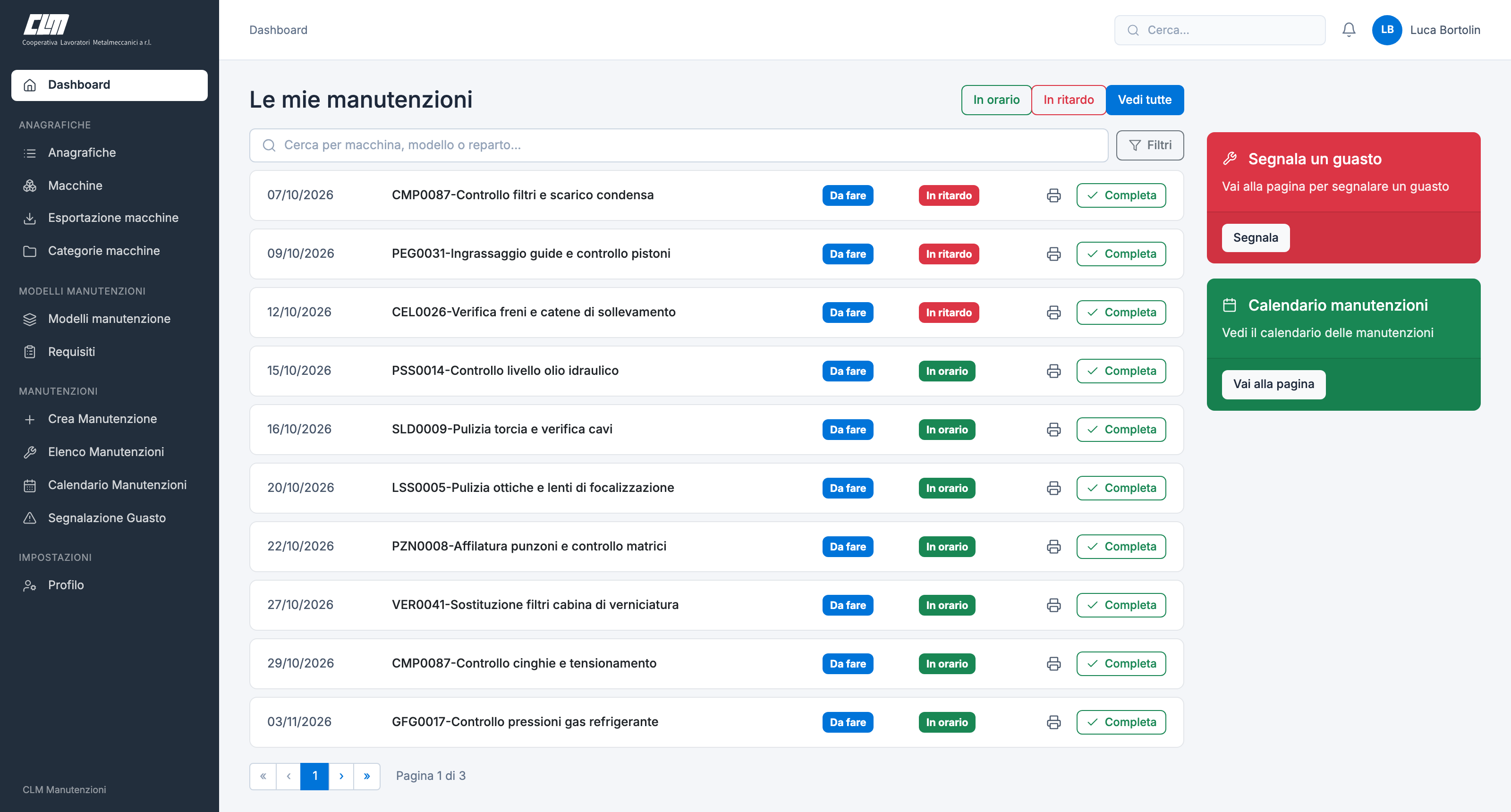
Operators see their jobs on time or overdue, print the job sheet and complete it.
06Closing and outcome
Actual date, minutes, spare parts, attachments and checks done; a negative outcome starts a fault report.
The life of a fault
From the report on the shop floor to the planned job
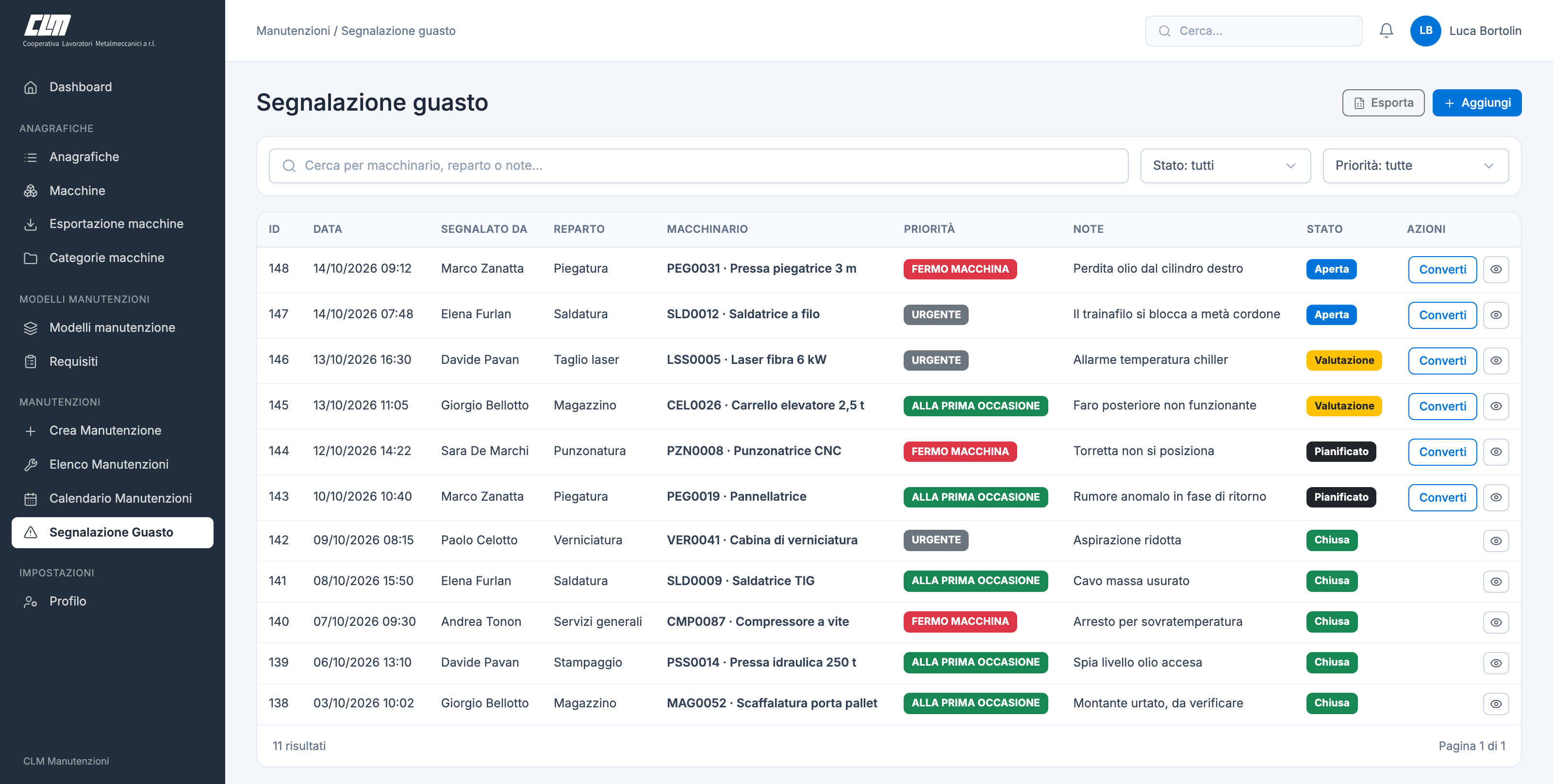
Whoever works on the machine reports the fault from the dashboard: machine, priority and notes. The department head, supervisors and the machine’s owner immediately get an email and a message. The supervisor assesses and plans it, and “Convert” closes the report by opening a new maintenance job already assigned to that machine.
Priority
- At the first opportunity
- Urgent
- Machine stop
Report states
- Open
- Assessment
- Planned
- Closed
Calendar and notifications
Every machine’s deadlines, brought to the right people
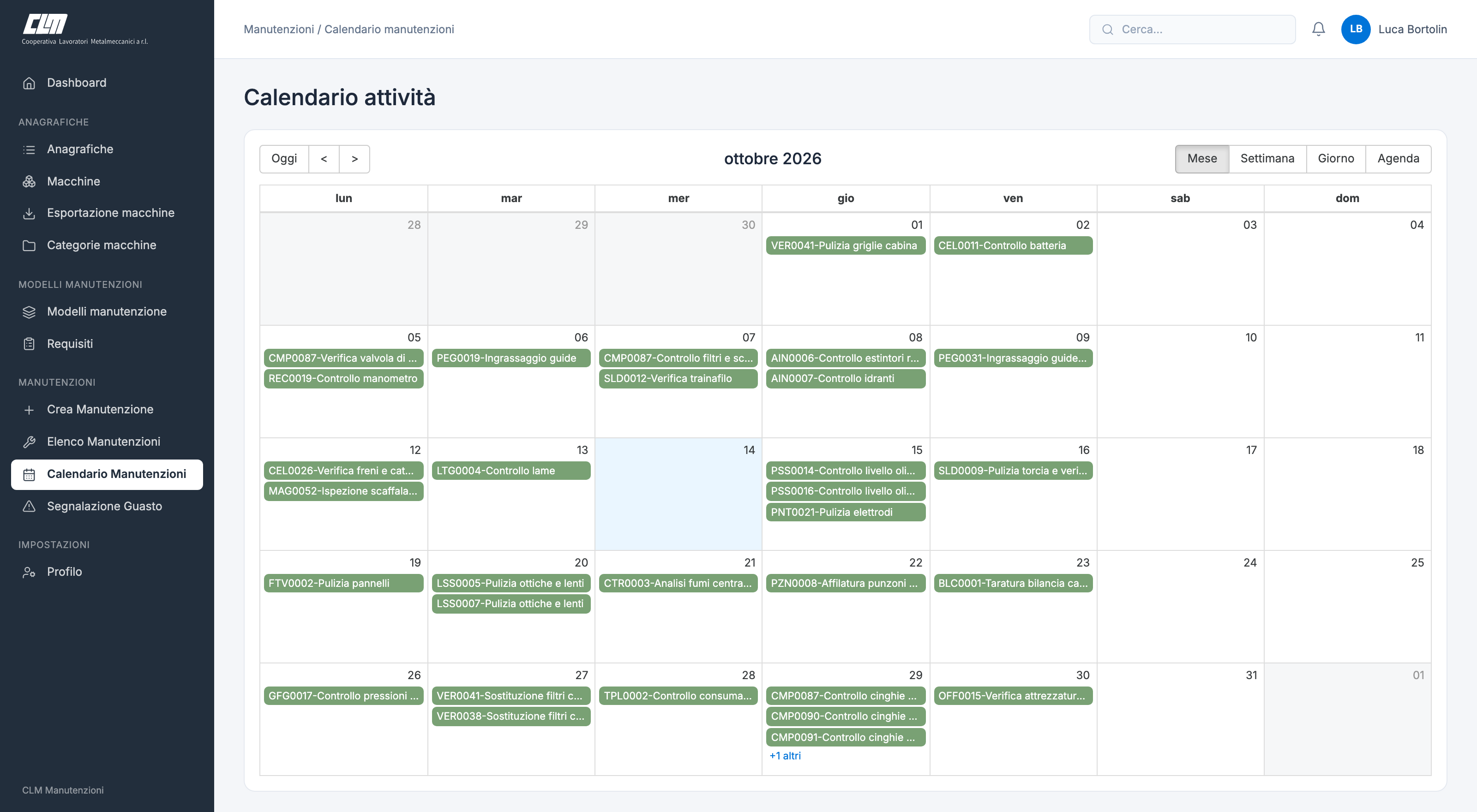
The calendar shows maintenance by month, week or day; one click opens the job’s closing form. A job not completed by its planned date is flagged as overdue. For each job you choose who to notify and how many days before and after the deadline.
Notifications for a job
- Supervisor
- Department head
- Operator
- Maintenance staff
Maintenance states
- To do
- In progress
- Completed
Features
What the system does
- Machine register
- Records with category, serial number, model, manufacturer, supplier, department, documents and list export.
- Automatic codes
- Each new machine gets its category code and a progressive number.
- Maintenance templates
- Predefined checks and requirements, copied into every job created from the template.
- Recurring maintenance
- A single schedule generates every deadline in the series, for several machines at once.
- Operator dashboard
- Assigned jobs, filterable by on time and overdue, with printing and completion.
- Calendar
- Month, week and day views; department heads only see their own departments.
- Fault reporting
- Machine, priority and notes in one form; instant alert to department head, supervisors and the machine’s owner.
- Notifications and reminders
- Messages before and after each deadline, and a reminder when the last job of a series is closed.
- Costs and spare parts
- Minutes, spare parts used and job cost, with the purchase document linked to the maintenance.
Got machines, deadlines and interventions to keep under control?
Next case
Port logistics · Gate reporting
GateFlow for CSP