

Port logistics · Gate reporting
Every trip through the port gates, recorded at the source and ready to invoice
GateFlow is the cloud platform of CSP – Consorzio Servizi Portuali. Gate operators record the trips they handle at the terminals through a simple, guided form; the CSP office has a dashboard to oversee all the data, analyse it and calculate what each operator is billed.
- Client
- CSP – Consorzio Servizi Portuali, Genoa
- Sector
- Documentation services at port gates
- Year
- Since 2024
- Users
- Gate operators, CSP office
At a glance
- trips recorded on the platform
- 2M+
- trips recorded on the platform
- rates per terminal, one for each container type
- 4
- rates per terminal, one for each container type
- cycles: import, export, empty release in and out
- 4
- cycles: import, export, empty release in and out
- document types that can be attached to each trip
- 9
- document types that can be attached to each trip
The challenge
Invoicing trips counted by someone else
CSP bills gate operators for every trip they handle at the terminals, with rates that vary by terminal and container type. Yet to know how many trips each operator had handled, month by month and by cycle, it had to rely on a third party’s counts: often inaccurate, hard to verify and hard to trace back to a single container.
The solution
The data is born at the gate, and it belongs to CSP
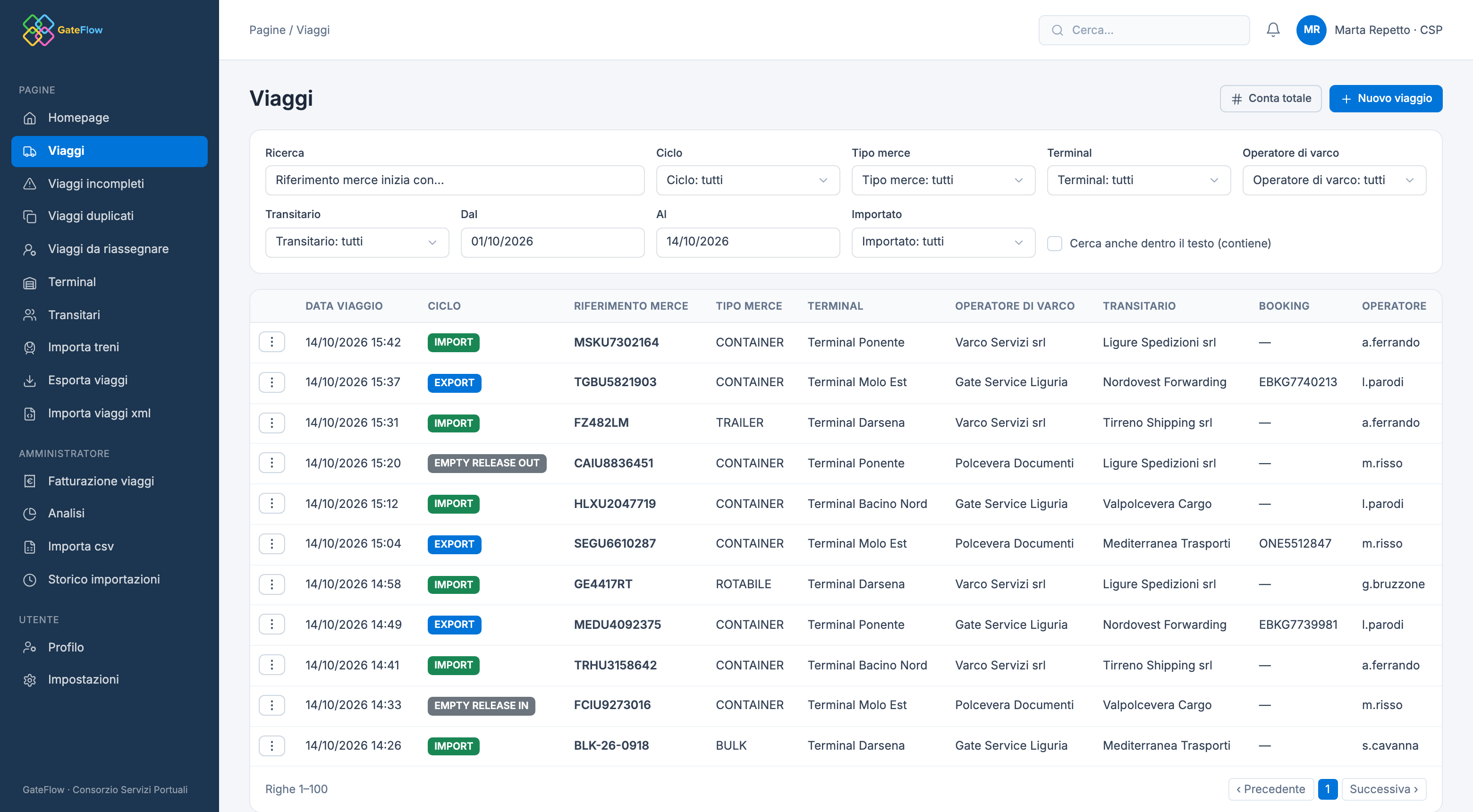
With GateFlow the operator records each trip as it is handled, with container code checks and warnings about possible duplicates. CSP sees everything in real time, corrects and reassigns trips, and at the end of the month gets the amount to invoice for each operator, with a list of every trip.
How it works
From the gate to the invoicing list
01Trip entry
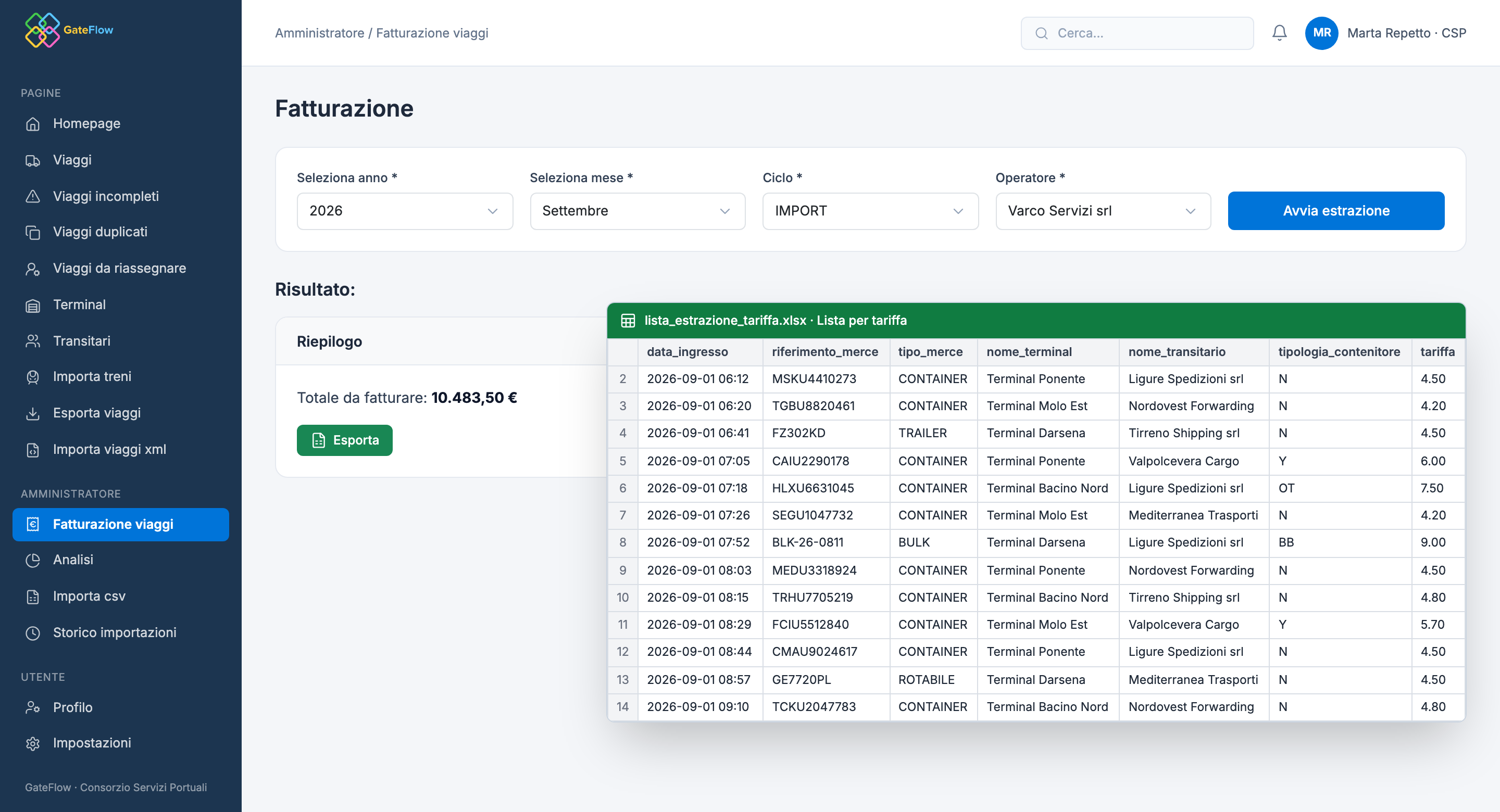
The operator enters cycle, cargo reference, cargo type, terminal and forwarder; date, time and operator are prefilled.
02Instant checks
Container code check digit, and a warning if the same reference was already recorded with the same cycle.
03Documents
Consignment note, T1, delivery order and other files attached to the trip; a printable entry memorandum.
04Review
The CSP office fixes incomplete trips, deletes or ignores duplicates and reassigns trips logged by the wrong operator.
05Invoicing
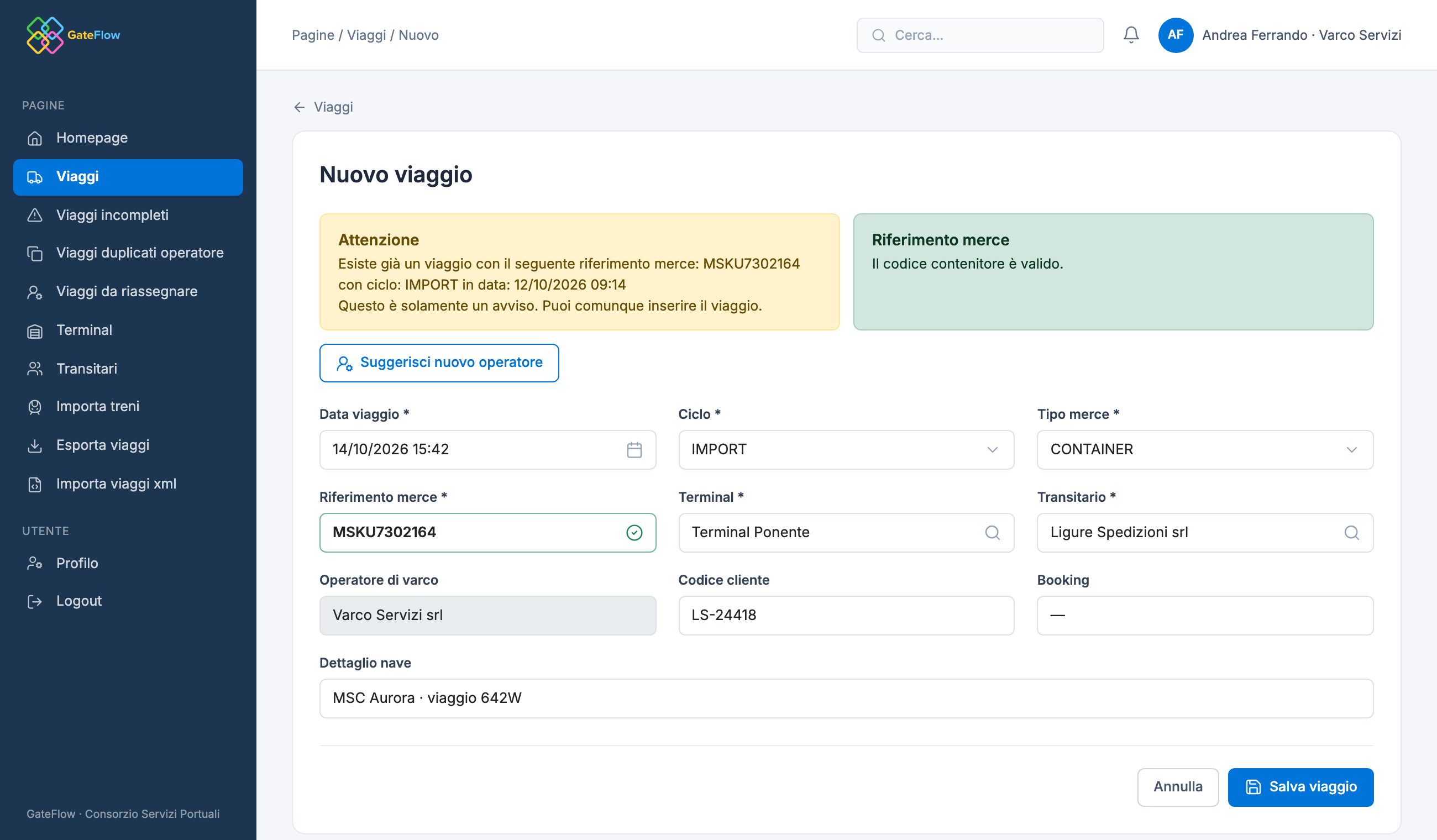
By year, month, cycle and operator: the total is calculated from the terminal rate and the container type.
06Export and analysis
Excel list of trips, export by period and charts by terminal, operator and day.
Two roles, one platform
Simple for those at the gate, complete for those in charge
The same data serves two different people. The operator needs to record a trip in seconds without mistakes; the CSP office needs to see, correct and export everything.
1Gate operator
- Guided form with date, time and operator prefilled
- Container code verified while typing
- Warning when a trip looks already recorded
- XML import and entry of a whole train
- Only their own company’s trips, with documents and memorandum
2CSP office
- Every operator’s trips, with search and filters
- Incomplete, duplicate and to-be-reassigned trips
- CSV and Excel import with a row preview
- Invoicing by month, cycle and operator
- Charts by terminal, operator and day
Invoicing
The amount to invoice, calculated trip by trip
The CSP office picks year, month, cycle and operator. The platform applies to every billable trip the rate of its terminal for that container type, returns the total and exports the list to Excel.
Rates of each terminal
- NStandard
- YSurcharge
- OTOpen top
- BBBreak bulk
Features
What the platform does
- Guided entry
- Required fields, prefilled date and operator, cargo reference cleaned up and capitalised.
- Verified container codes
- Check digit validation for containers and trains, with the result shown while typing.
- XML and train import
- Trips loaded from XML files, and all the containers of a train entered in a single step.
- CSV and Excel import
- Preview of new, updated and invalid rows; missing forwarders are created automatically.
- Duplicates and incomplete trips
- Dedicated lists for trips with no terminal or forwarder and for duplicates, to ignore or delete, also in bulk.
- Reassignment
- From a trip, users suggest the right operator; CSP finds every suggestion in a single list.
- Rates per terminal
- Four rates per trip: standard, surcharge, open top and break bulk; only trips marked “to invoice” are billed.
- Search across millions of trips
- Filters by cycle, cargo type, terminal, operator, forwarder and dates, with fast search by reference.
- Analysis
- Charts by import/export, cargo type, terminal, operator and daily flow over the chosen period.
Do you depend on someone else’s data to invoice your work?
Next case
Sustainability · Transport emissions
Impact Meter