

Trade associations · Professional training
Training for freight forwarders, in a tailor-made e-Library
Fedespedi represents Italy’s international freight forwarding companies. Its e-Library gives members courses split into lessons, live sessions, seminars, conferences and publications, tracks each learner’s study time and issues a certificate at the end of the course. Behind it, a back-office for the federation and its regional associations.
- Client
- Fedespedi, Milan
- Sector
- Training for freight forwarding and logistics
- Year
- 2024
- Users
- Learners, regional associations, staff
At a glance
- lesson formats: video, live, document, questionnaire
- 4
- lesson formats: video, live, document, questionnaire
- profiles: learners, regional associations, federation
- 3
- profiles: learners, regional associations, federation
- course publishing states: draft, published, coming soon
- 3
- course publishing states: draft, published, coming soon
- Excel reports: courses, lessons, seminars, publications
- 4
- Excel reports: courses, lessons, seminars, publications
The challenge
Training for members, attendance to prove
A federation with associations across Italy runs courses, seminars and conferences for its member companies. Each initiative has its own audience, often restricted to groups of members or paid, and in the end it has to show who actually attended, for how long, and hand out a certificate with hours and contents.
The solution
An e-Library for members, a back-office for trainers
Members sign in from the federation’s CRM and only see their group’s content. They follow lessons inside the platform, where study time is recorded. Past the threshold, the lesson is complete; at the end of the course the PDF certificate downloads in one click. The federation and associations manage calendar, enrolments and reports.
How it works
From member sign-in to certificate
01Sign-in from the CRM
Members sign in automatically from the CRM; users and groups arrive already in sync.
02Catalogue and enrolment
Courses by subject, visible by group; paid ones show their price and enrol through the CRM.
03Lessons
Videos, Zoom live sessions inside the platform, PDF documents and questionnaires, with downloadable materials.
04Study time
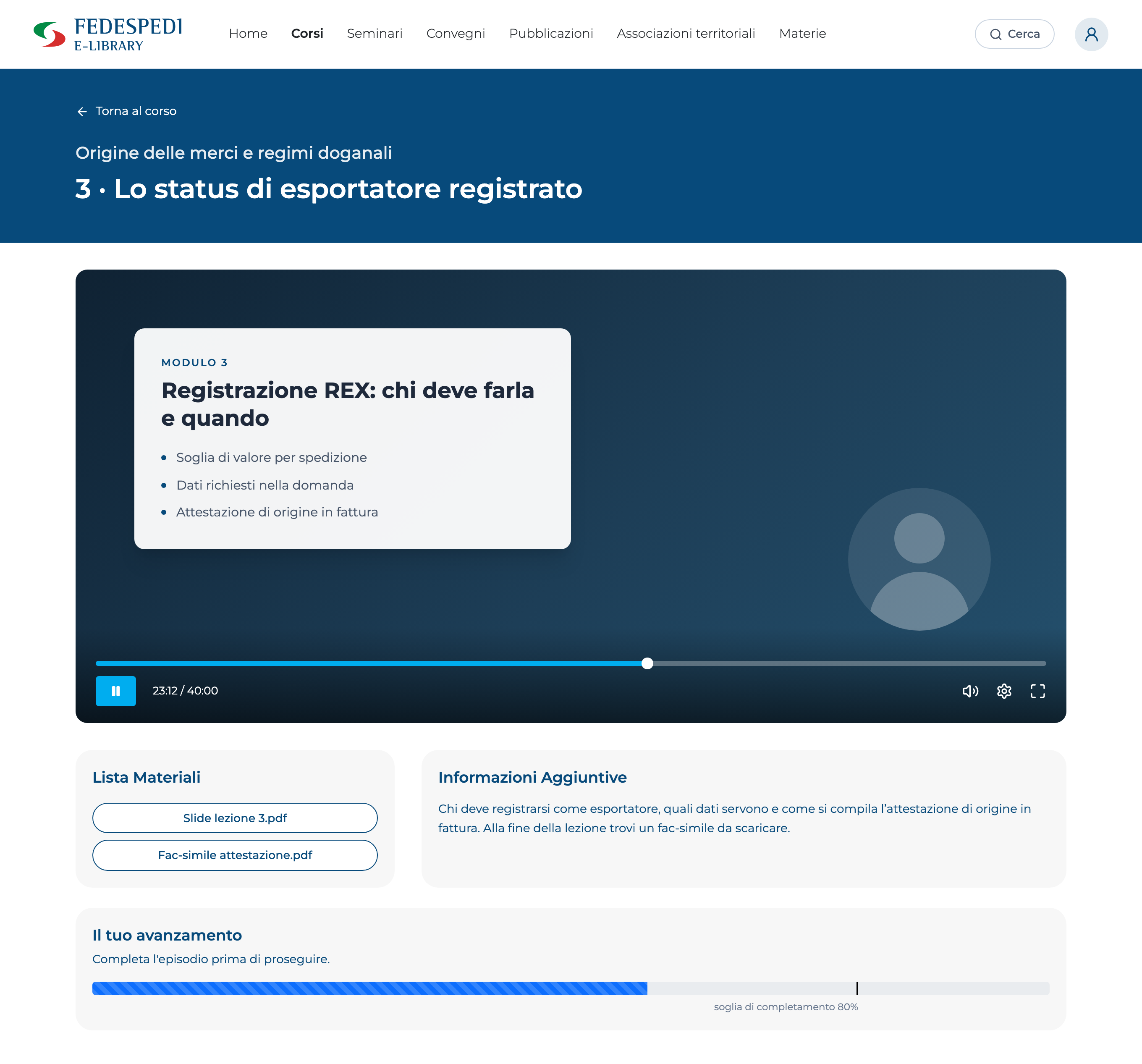
The platform records every lesson session and completes it past the set threshold.
05Certificate
Once the course is complete, the PDF is generated from the template with name, tax code, hours and lessons.
06Reports
Time logs per learner and lesson, Excel exports for courses, lessons, seminars and publications.
The learner area
Every lesson with its progress, always in view
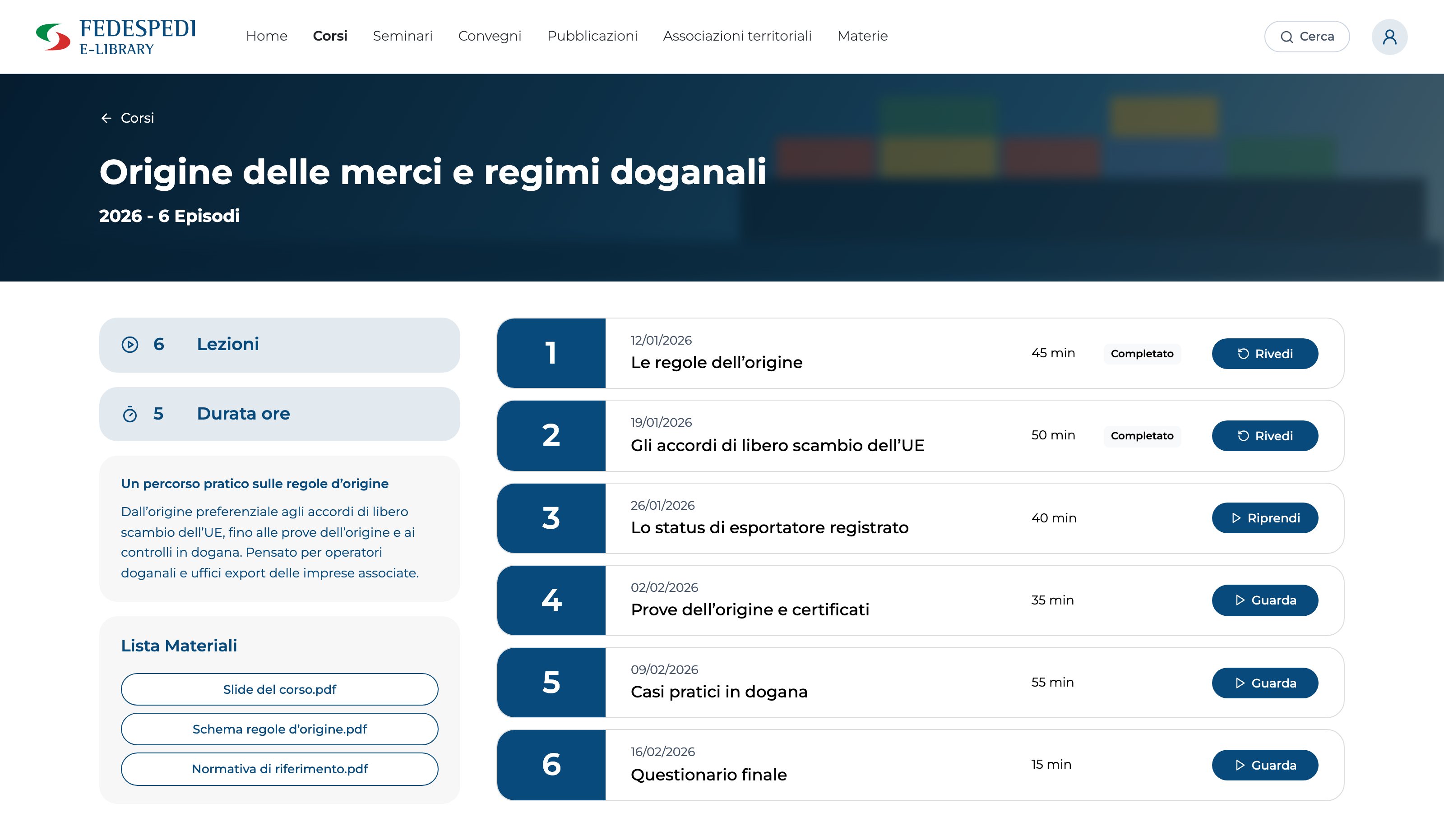
Learners find the courses to continue, see which lessons they have completed and pick up where they left off. Under each lesson, the progress bar shows study time and the threshold needed to complete it.
Video
Recorded lessons, with viewing time counted.
Live
Zoom sessions followed inside the platform.
Document
PDF handouts read in the built-in viewer.
Questionnaire
The end-of-course test, as a lesson in the programme.
From progress to certificate
The certificate fills itself in, with the course’s hours and lessons
The federation uploads its own Word certificate template. When a course is complete the system fills it with the learner’s and the course’s data, works out the hours from lesson time, lists the episodes attended and converts it into a PDF ready to download.
A lesson’s journey
- Watch
- Resume
- Completed
- Course completed
- PDF certificate
Certificate template
Certificate of attendance
- Learner
- First and last name
- Tax code
- From the member’s profile
- Course
- Course title and notes
- Duration
- Hours worked out from lessons
- Period
- From the first to the last lesson
Lessons attended
- 01One line per episode
- 02Generated from the course programme
- …
Issue date · PDF
Back-office and reports
Who followed what, and for how long
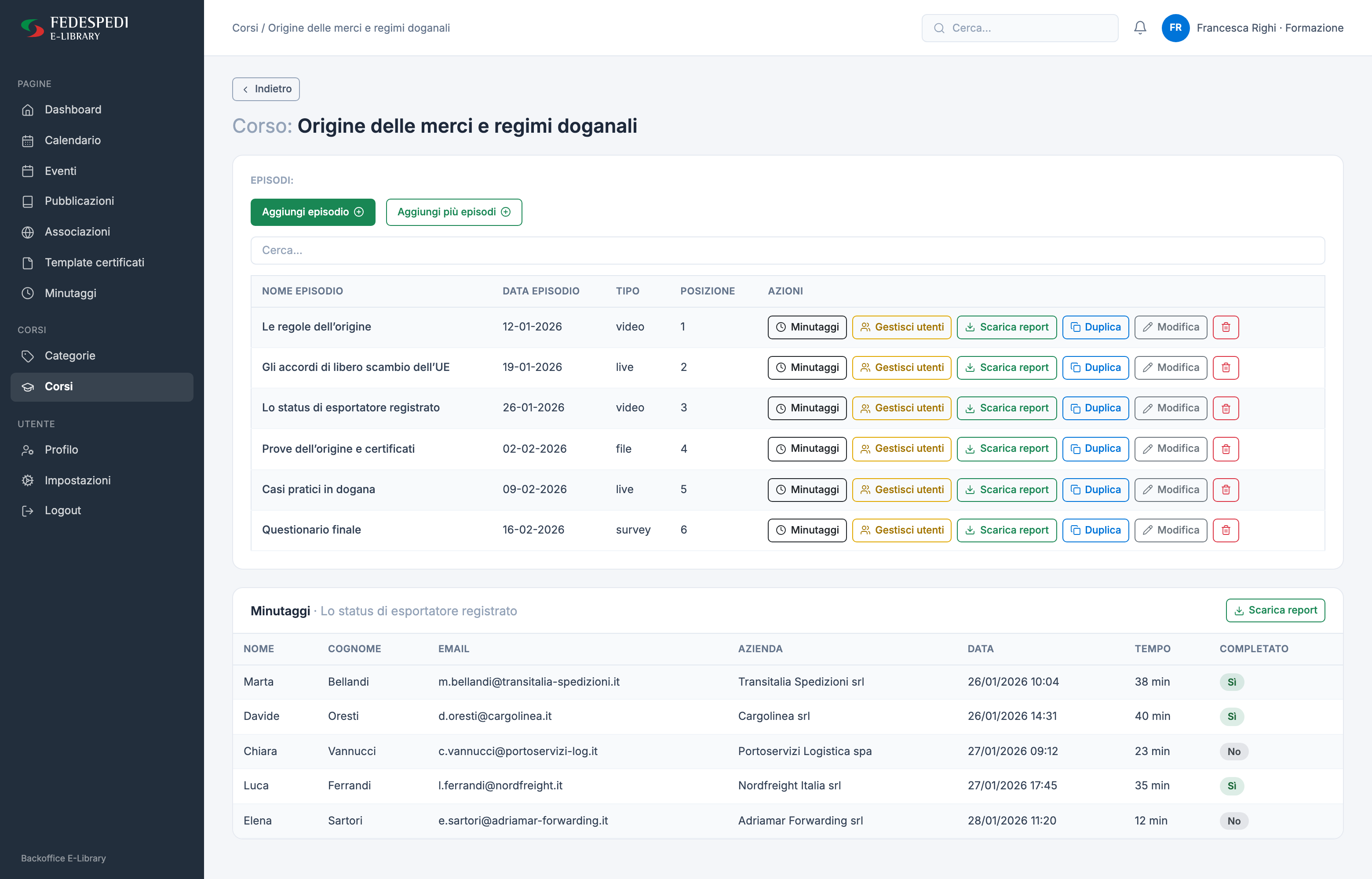
For each course, staff manage the lessons, assign learners and see everyone’s time logs. Every list downloads to Excel, ready for training reporting.
- Lessons created one by one or as a recurring batch
- Enrolments per course and access to individual lessons
- Time logs with time and completion for each learner
- Seminar registrations and attendance, publication downloads
Features
What the platform does
- Catalogue by subject
- Featured, by-category and upcoming courses, with search across courses, seminars, conferences and publications.
- Four lesson formats
- Video, live session, PDF document and questionnaire, each with date, duration and materials.
- Built-in live sessions
- Live lessons run on Zoom without leaving the platform.
- Progress with a threshold
- Study time per session and device; a lesson completes past the set percentage.
- Certificates from a template
- A Word template managed by the federation, filled with the learner’s data and converted to PDF.
- Seminars and conferences
- Registration, attendance, save to calendar and the event’s recorded video.
- Publications
- Digital download, a price for paid ones and a count of downloads.
- Group-based access
- Courses, events and publications restricted to CRM groups, lessons assigned to individual learners.
- Calendar and reports
- Agenda of lessons and events, recurring lessons in bulk, time logs and Excel reports.
Need to train a network of people and prove who completed the programme?
Next case
Metalworking · Plant maintenance
CLM Maintenance