

Supplier compliance · Document management
Supplier documents, expiry dates and compliance in a single portal
The portal built for Priano Marchelli, an international freight forwarder. Suppliers upload the required documents through a guided procedure, staff review them and the system keeps track of expiry dates and renewals.
- Client
- Priano Marchelli
- Sector
- International freight forwarding, since 1934
- Live
- Since 2026
- Users
- Priano Marchelli staff and suppliers
At a glance
- supplier types and categories
- 4 × 6
- supplier types and categories
- configured document types
- 24
- configured document types
- automatic expiry reminders, every week
- Monday
- automatic expiry reminders, every week
- bilingual interface
- IT / EN
- bilingual interface
The challenge
Every supplier, different documents
Hauliers, contractors, customs services, waste disposal, consultants: each must provide different documents, such as tax compliance certificates, company records, risk assessments, ADR certificates or signed forms, each with its own expiry. Collecting them by email and chasing renewals by hand was no longer sustainable.
The solution
The rules decide, the portal remembers
The portal works out which documents are needed from the supplier’s legal form and category. Suppliers upload them on their own through a guided procedure, staff approve or reject them, and automatic reminders warn before anything expires.
How it works
From onboarding to the compliance report
01Onboarding
Staff create the supplier: the account is generated automatically and an email arrives to set the password.
02Required documents
The list builds itself from legal form and category, with any extras or exclusions.
03Guided upload
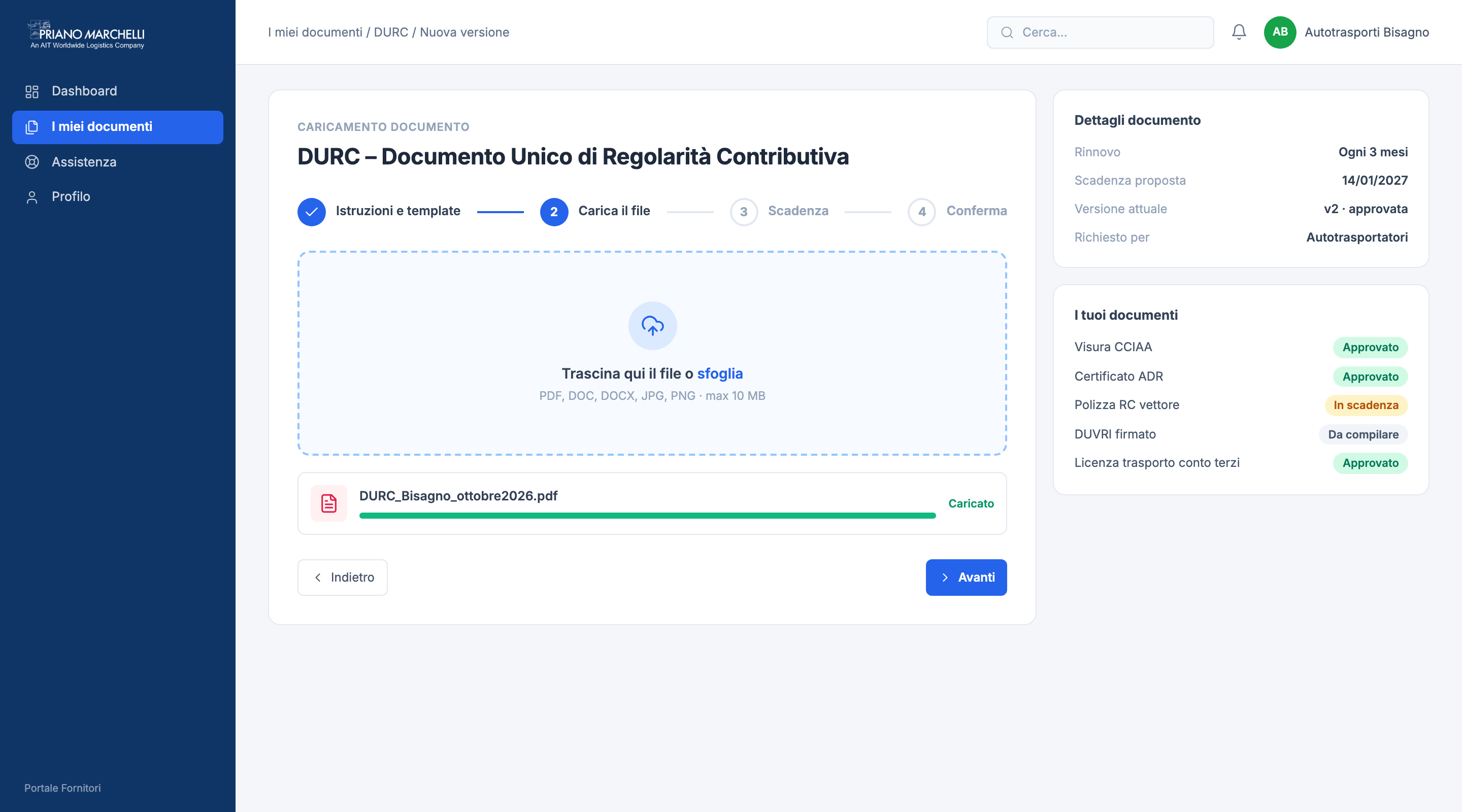
Four steps: instructions and template, file upload, suggested expiry, confirmation.
04Review
Staff approve or reject with a reason. Every version stays in the history.
05Expiry dates
Weekly reminders for documents expired or expiring within 30 days.
06Report
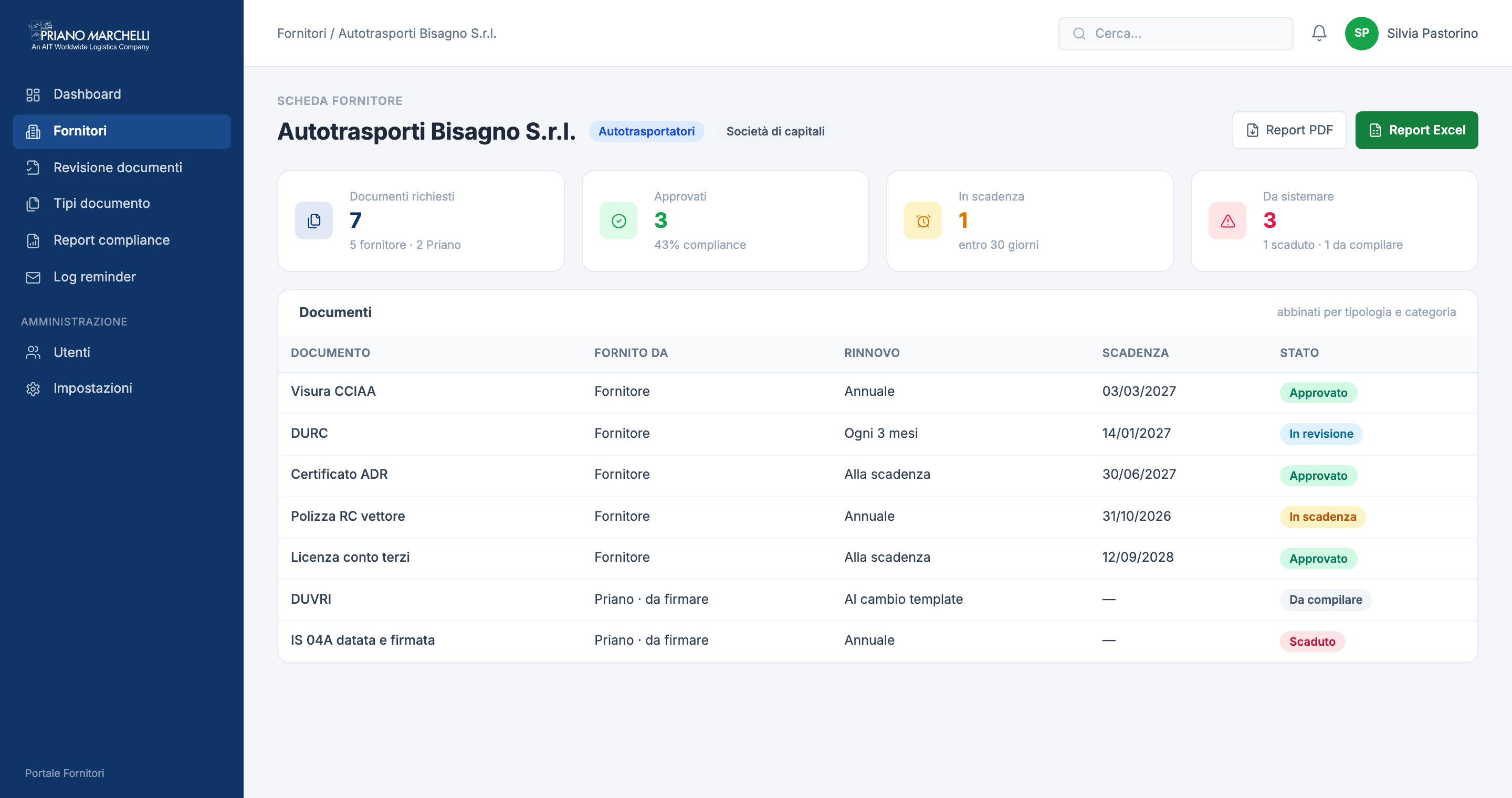
Compliance status per supplier, as PDF or Excel.
The portal
Two areas, one flow
Document states
- To complete
- Draft
- Under review
- Approved
Screens with sample data
Features
What the portal does
- Staff dashboard
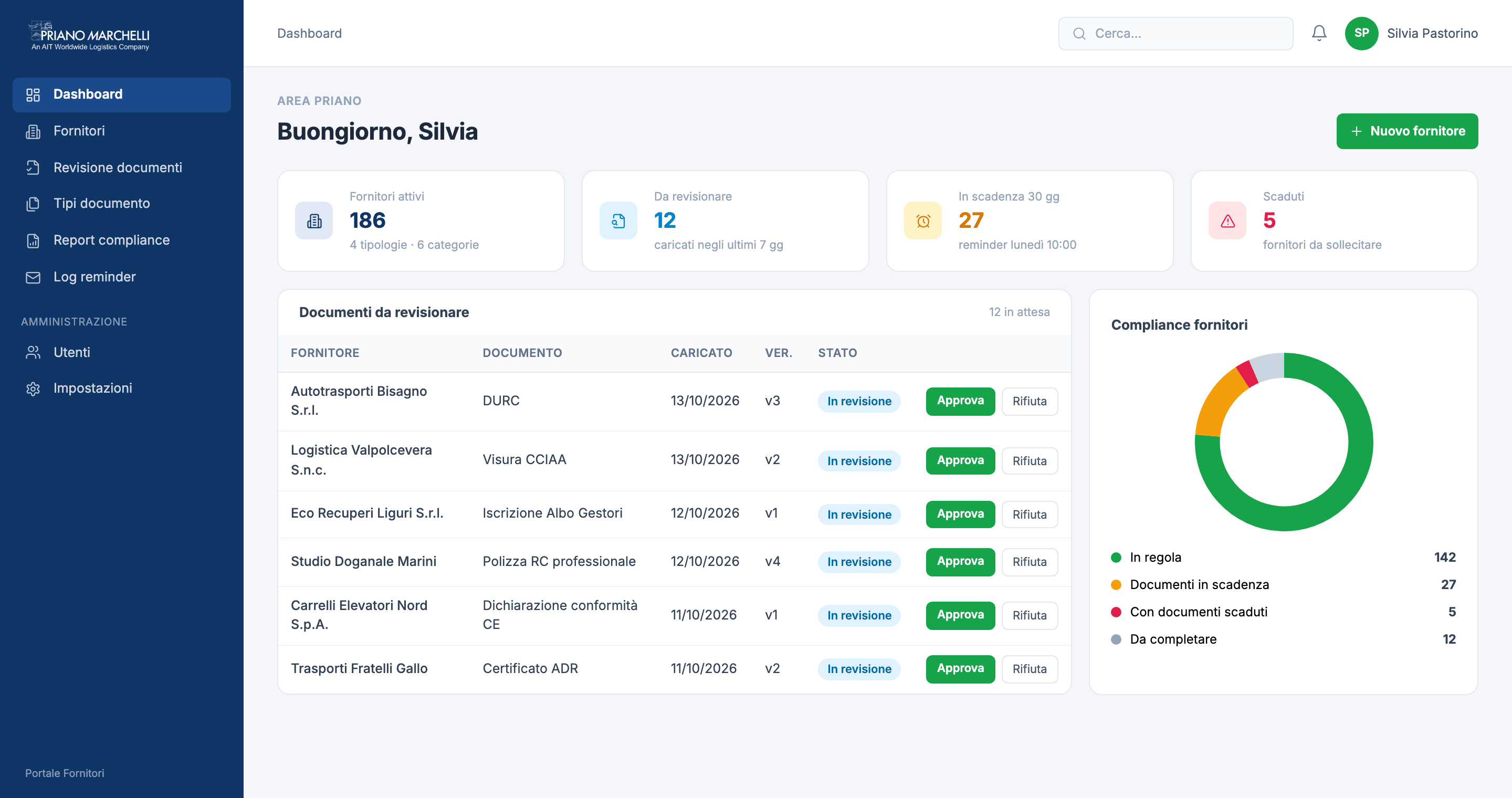
- Documents to review, expiring and expired, with the compliance status of every supplier.
- Supplier dashboard
- Each supplier sees only its own documents: to complete, expiring, approved.
- Supplier records
- Legal form, category and additional or excluded documents per supplier.
- Document types
- Description, warnings, downloadable template, renewal frequency and scope.
- Documents to sign
- Forms provided by Priano Marchelli that the supplier downloads, signs and uploads again.
- Version history
- Every upload keeps previous versions, with review outcome and reason.
- Template updates
- When a template changes, documents go back to “to complete” and suppliers are notified.
- Reminders and log
- Automatic sending every Monday, manual sending and a log of what was sent.
- Roles and security
- Administrator, editor and read-only for staff; separate access for suppliers.
Do you collect documents from suppliers too?
Next case
Public sector · App for citizens and municipalities
ComuneVicino