

Port logistics · Certified container weighing
Certified container weighing, from booking to the port
A container cannot be loaded on a ship without its verified gross mass (VGM). Consorzio VGM’s management system brings load notification, weighing at the stations, VGM calculation, the certificate, reporting to the port system and invoicing into a single platform.
- Client
- Consorzio VGM, Genoa
- Sector
- Container weighing for maritime export
- Year
- 2026
- Users
- Customers, stations, central office, accounting
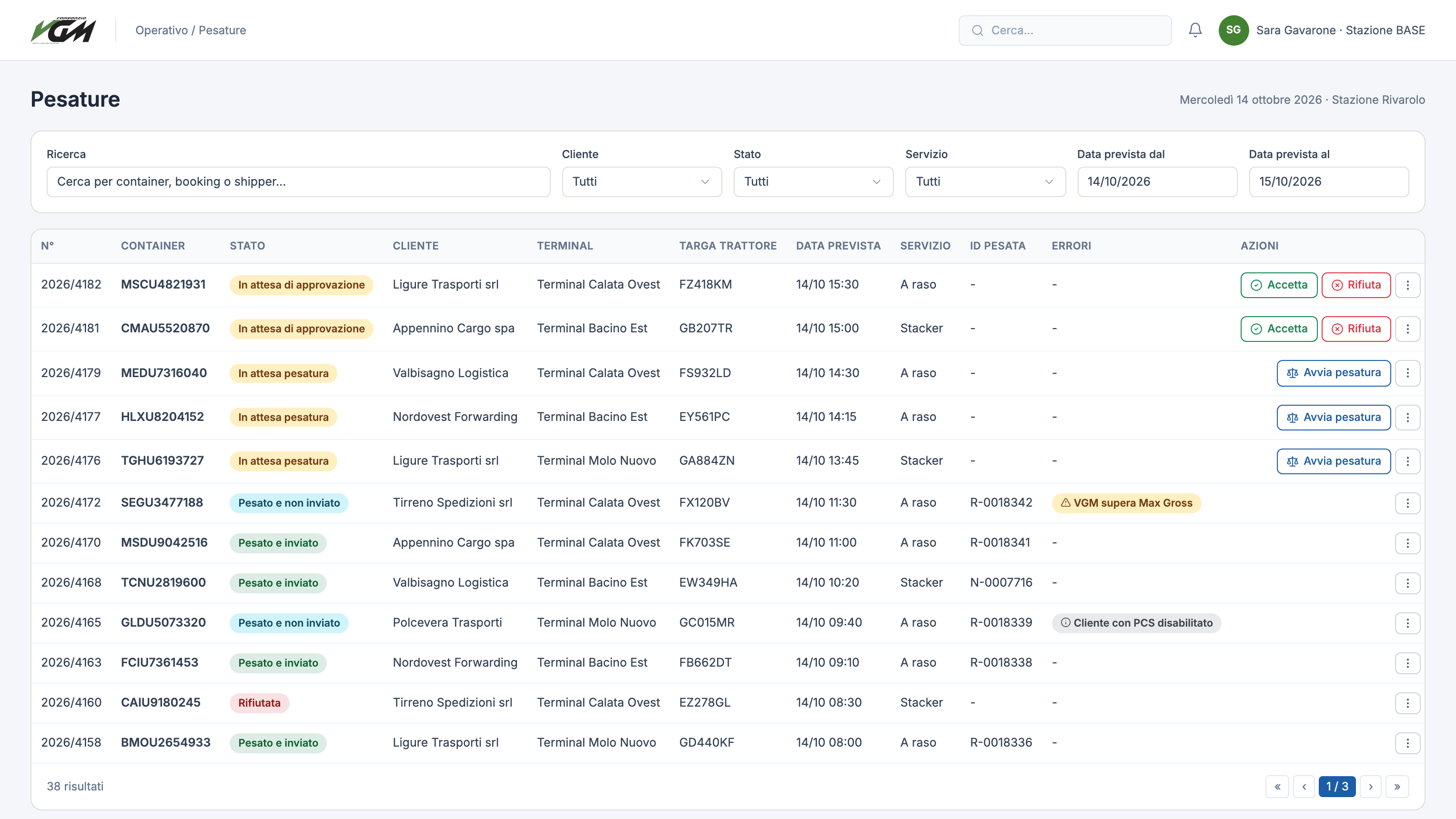
At a glance
- roles with their own menus and permissions
- 6
- roles with their own menus and permissions
- states for every load notification
- 7
- states for every load notification
- weighing methods: flat and stacker
- 2
- weighing methods: flat and stacker
- connected external systems: port, weighing node, scales
- 3
- connected external systems: port, weighing node, scales
The challenge
Bookings, weighings and invoices in separate tools
Since 2016 no container can be loaded without a verified gross mass. For a consortium running many weighing stations, that means coordinating customers, drivers, terminals and shipping lines, calculating the weight net of tares and fuel, issuing a compliant certificate and reporting it to the port on time. Every manual step is a chance for error.
The solution
One system, one view for each role
The customer notifies the load; the station approves it and weighs it, reading the figure straight from the scale. The system calculates the VGM, checks the container code and Max Gross, produces the PDF declaration and sends it to the port. Every weighing immediately becomes a billable entry.
How it works
From load notification to invoice
01Load notification
The customer enters container, booking, shipper, terminal, truck and driver, or imports an XML file.
02Approval
The station accepts or rejects the request, giving a reason.
03Weighing
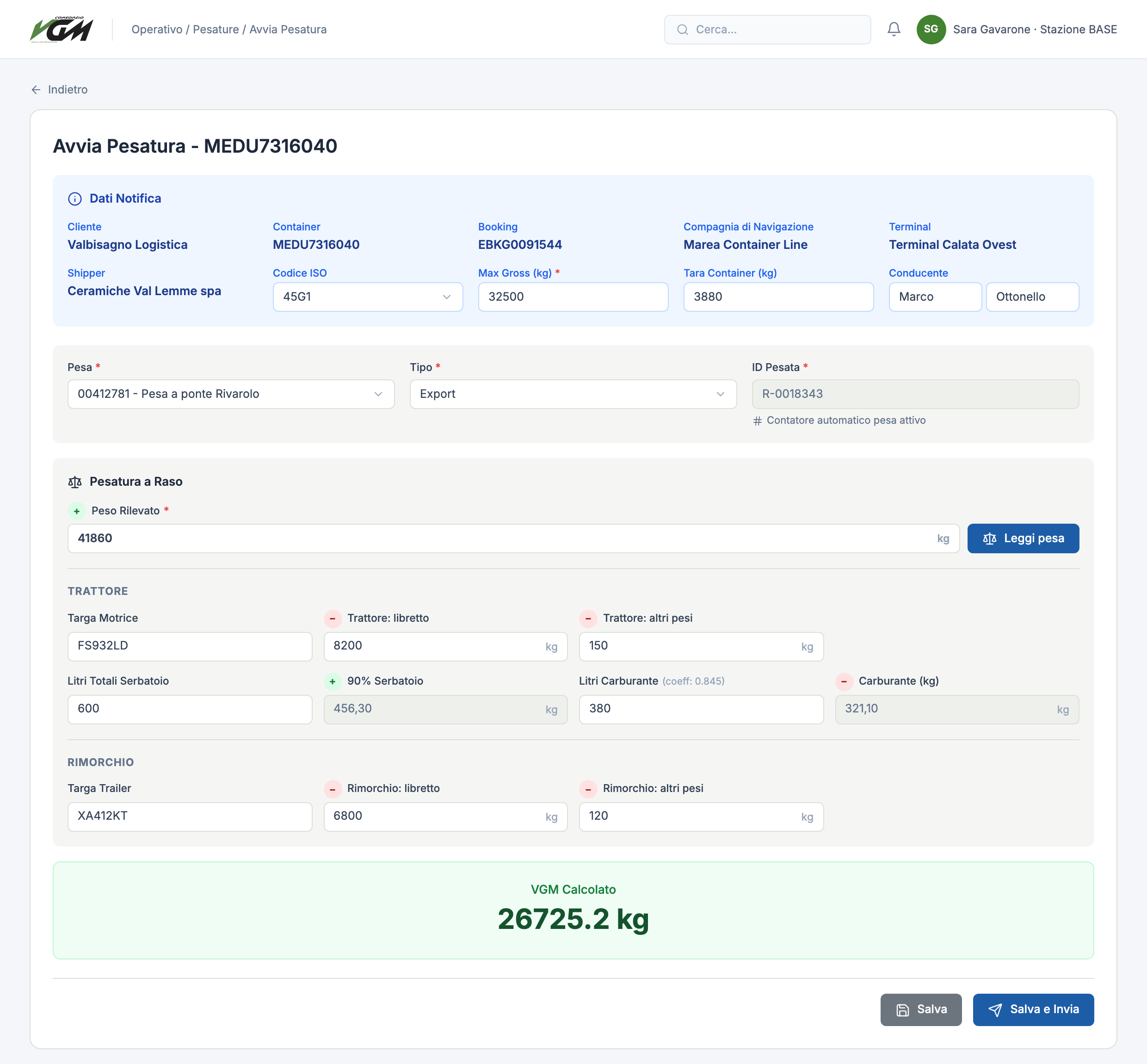
The operator reads the weight from the scale in one click; the weighing ID comes from the scale counter.
04VGM calculation
Truck tares and fuel are subtracted automatically, with a Max Gross check.
05Certificate and submission
VGM declaration and weighing ticket as PDFs, sent to the port system and emailed to the customer.
06Invoicing
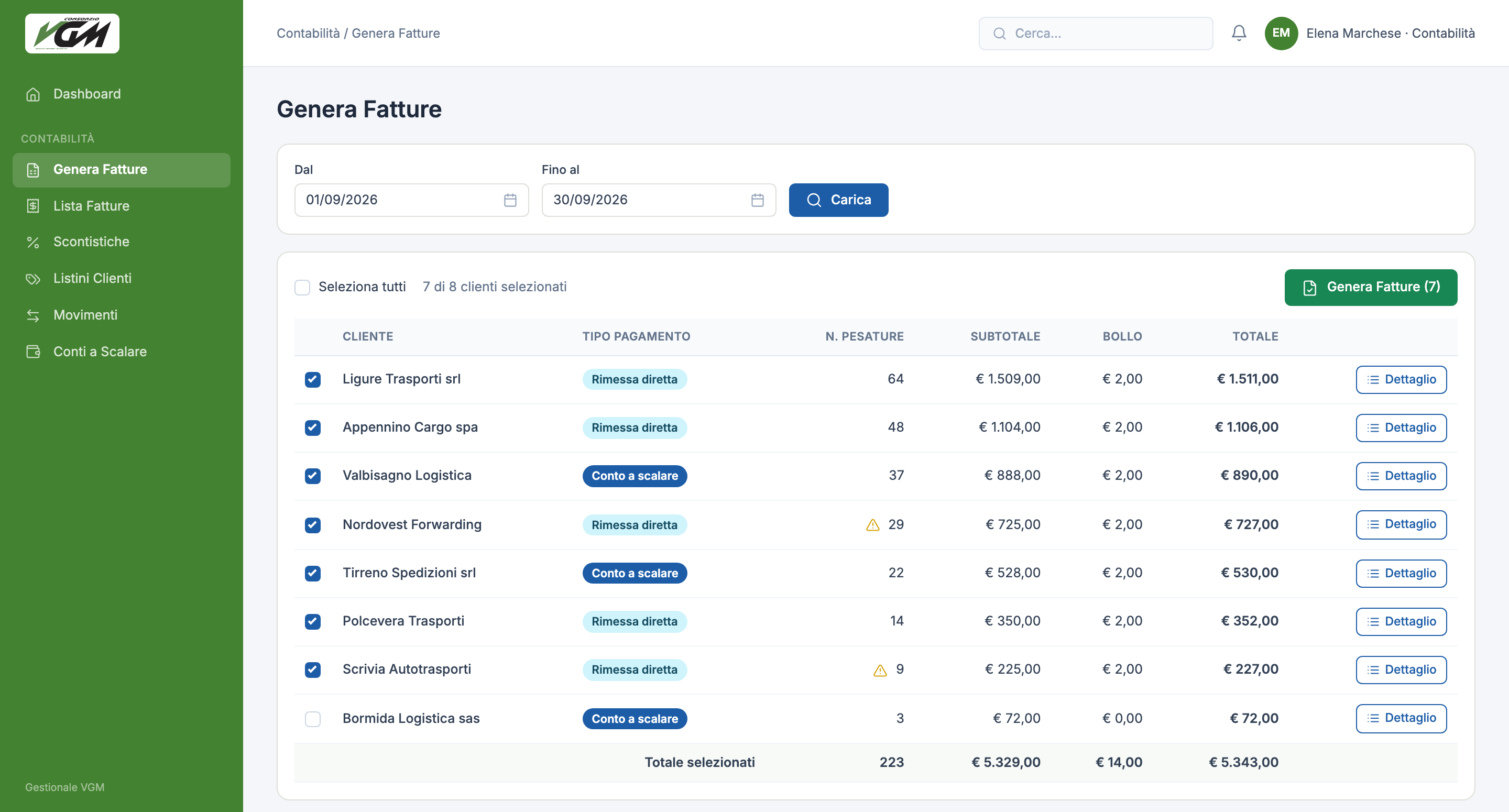
Automatic entries, price lists and volume discounts, period invoices generated in one batch.
The VGM formula
The certified weight, calculated with no transcription errors
With a flat weighing the truck is weighed once: the system subtracts the tares and extra weights of tractor and trailer, adds back the 90% of the tank already included in the tare and removes the declared fuel. With a stacker, the VGM is the difference between two weighings.
VGM · Flat
- +Measured weight
- −Tractor: registration and extra weights
- +90% of the tank
- −Trailer: registration and extra weights
- −Fuel (litres × 0.845)
VGM · Stacker
- +Weighing with container
- −Weighing without container
Invoicing
Every weighing is already a billable entry
Per-customer and per-station price lists, volume discounts and automatic stamp duty. At the end of the period accounting generates every customer’s invoice in one step, or charges the amount to a prepaid account.
Features
What the system does
- Load notifications
- Step-by-step entry, duplication and XML import of bookings.
- Weighing queue
- A “to do” view with accept or reject and filters by customer, status, service, station and date.
- Direct scale reading
- The weight comes straight from the station’s scale, with no typing.
- Flat and stacker VGM
- Registration tares, extra weights, tank and fuel converted from litres to kilograms.
- Automatic checks
- ISO 6346 check digit on container codes; sending blocked above Max Gross.
- PDF documents
- VGM declaration and weighing ticket, also downloadable by the customer.
- Port link
- Certified weighings sent, cancelled and re-sent; bookings received from the port.
- Invoicing and prepaid accounts
- Per-customer and per-station price lists, volume discounts, automatic stamp duty, top-ups and prepaid charges.
- Email and log
- Notices for acceptance, rejection, weighing and invoices, with a history of every message.
Have a process driven by regulations and deadlines to digitise?
Next case
Design furniture · ERP and B2B
HORM · Casamania ERP